Embedding JavaScript in HTML
HTML makes it super easy to run JavaScript within a webpage. In fact, you just need to add a single pair of tags to your page and you can write your JavaScript between them. As soon as the webbrowser loads that part of the page, it will run your JavaScript. This means with literally just a few lines of HTML you have a programming environment setup!
Embedding JavaScript in HTML
Let’s kick things off by embedding some JavaScript in our HTML file and get some code running.
Add the following code to your HTML page.
<script>
	alert("Hello!");
</script>
Now open the page up using “Brackets Live Preview” and see the fruits of your labour. You should get a popup when the page loads showing the text you entered for the alert.
Console.log in Chrome
Next up we’ll try out console.log. Update your script to use the following code.
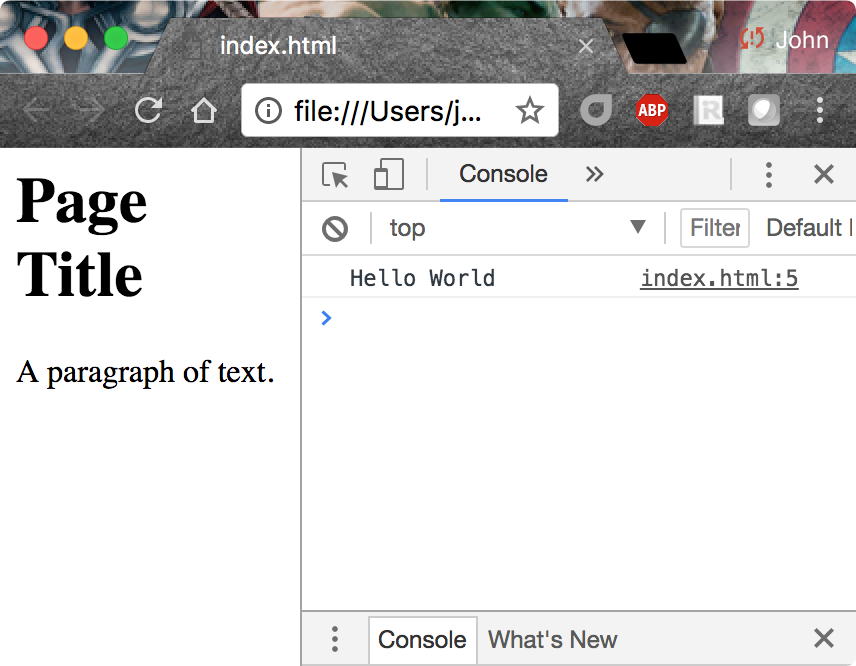
console.log("Hello World");Notice that you cannot see the output from your console.log() call anywhere. That’s because, by default, console.log() is used to print messages for developers to read and you don’t want to bother your users with developer messages!
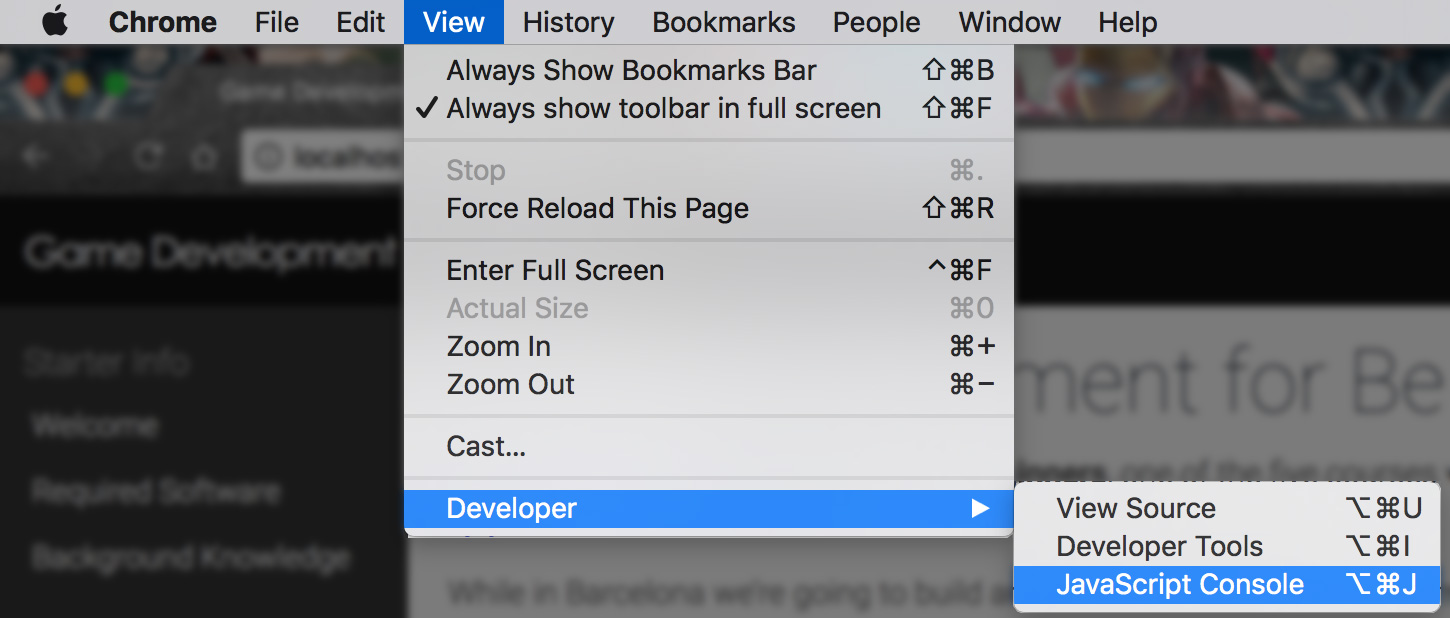
In order to see these message, you’ll need to bring up the JavaScript Console in the Developer Tools menu.
The developer’s console should look something like this;
Experiment
Feel free to experiment by placing more code between the script tags. Why not try to complete a couple of the JavaScript exercises you did earlier today between the script tags in order to get more comfortable with the JavaScript Console in Google Chrome?